
Crafting
Export
Use UI Designer > Crafting to generate the menu layout, configure its recipe source and presentations, then hand off to the Crafting Menu runtime workflow for binding, quantity validation, and transactions.
Prepare a project-owned UI schema and Canvas Managers, the active Inventory System Database, and Brew Health Potion in Consumable Recipes: 2 Herb + 1 Water → 1 Health Potion. The example player’s main Item Collection is Bag. The Crafter supplies recipe data; the menu presents it.
Create the menu
- Open Tools > Opsive > Ultimate Inventory System > UI Designer, select Crafting, then Create.
- Set Parent Transform to the intended Rect Transform.
- Choose Panel Option > Basic for a standalone panel that disables itself on close, or Main Menu for an inner panel beneath the Main Menu’s main content transform.
- Select Create. In Edit, select the generated Crafting Menu; use Find Available Targets in Scene to find it.
Configure the recipe source
- In Crafter, add a Crafter to the menu when absent. For station-specific recipes, configure station Crafters and assign the selected one before opening the shared menu.
- Add Consumable Recipes to Crafting Categories. Leave Miscellaneous Recipes empty for Brew Health Potion because the Category supplies it already; use that list for individual recipes outside included Categories.
- Use Simple Crafting Processor With Currency for the standard immediate workflow, including recipes without Currency cost.
- Keep Externally Remove Ingredients disabled and add
Bagto Ingredient Item Collections. Keep Bag as the player’s main collection for ingredient removal and output addition. - Confirm Crafting Menu > Crafter references the intended component.
For timed crafting, manual ingredient selection, or another transaction model, configure a custom menu/processor.
Inspect the generated recipe source
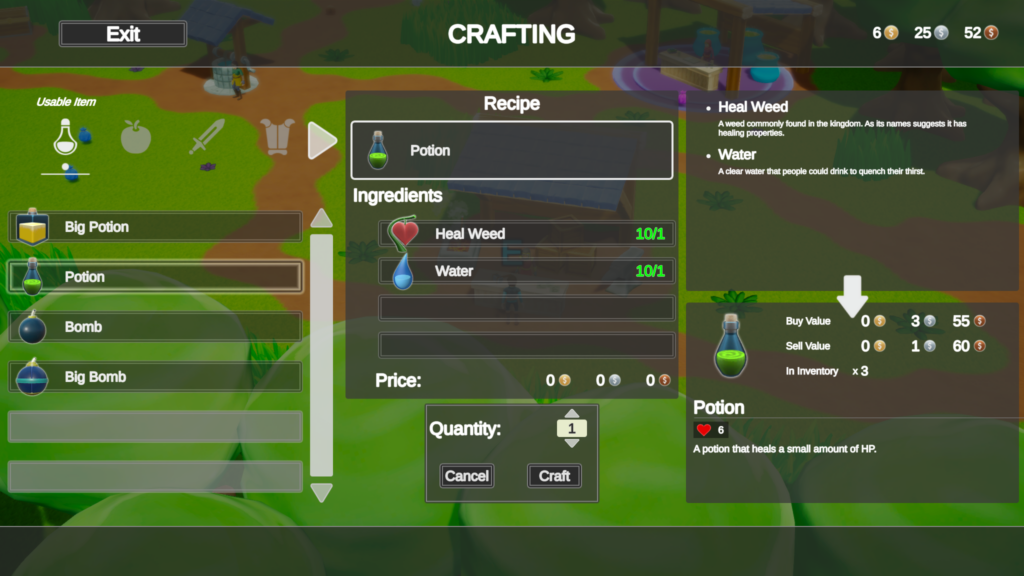
The native Potion Crafting menu below has a Crafter already attached. Select Crafter locates the component; Delete Crafter indicates that another one is unnecessary.

This Crafter includes Consumable Recipes once, leaves Miscellaneous Recipes empty, and searches only Bag. The project-owned Craft Database supplies Brew Health Potion, using Crafting Recipe With Currency with an empty Currency cost.

The matching runtime example verifies the player binding, disabled confirmation and one completed craft.
Configure presentations and navigation
| UI Designer section | Configure and verify |
|---|---|
| Recipe Panel | Create if absent. Under Ingredient Item Views and Descriptions, supply at least two entries for Herb/Water. Select Item View and Select Item Description locate each presentation. Configure Health Potion’s result view/description too. |
| Grid Size & Layout Group | Provide enough visible recipe slots; expand the layout as the recipe list grows. |
| Grid Navigation | Choose scrolling/navigation when recipes exceed visible slots. Check vertical direction, Layout Group Navigation, and tab linkage after changing dimensions. |
| Grid Tabs | Leave absent for one group. For several, create Crafting Tabs, name the Tab Toggles, and configure Crafting Tab Data’s Item Category/Crafting Category filters. Both filters must allow the intended recipe. |
On the component, verify Crafting Recipe Grid, Recipe Panel, Quantity Picker Panel, and Exit Button reference the generated controls. Enable Open Quantity Picker Panel On Recipe Click for click-to-choose quantity and Close Quantity Picker Panel On Close to dismiss it with the menu.
Configure Recipe Views for grid-tile prefab mapping. Complete the Recipe Panel references, including Total Craft Cost and its Currency/Text mapping, even for item-only recipes.
Bind and verify the result
Bind the interacting player’s Inventory directly, through Bind To Panel Owner Inventory, or through Bind To Inventory By Identifier. A retained direct Inventory reference has priority. For shared station UI, use a Crafting Menu Opener to supply both the player’s Inventory and station Crafter; see the runtime station workflow.
- Enter Play Mode and open the generated menu. Confirm Brew Health Potion appears once and selecting it shows 2 Herb, 1 Water, and 1 Health Potion.
- Click the recipe and check quantity choice. With 1 Herb and 1 Water in Bag, confirmation should be unavailable; with the second Herb, quantity
1should become craftable. - Follow the runtime transaction checks to compare exact consumed/added amounts, output capacity/restrictions, quantity
2, station/player ownership, close/reopen, and supported input devices.
For creation failure, check Parent Transform and the selected schema. For empty/duplicate recipes, check the database, Crafter, recipe sources, tabs, and Draw Recipes On Open. For missing ingredient presentations or quantity UI, repair the corresponding generated references. The runtime guide owns processor, binding, completion-event, and persistence details.