Event Node
Event Nodes are at the root of the branch and start the branch based on a condition. The most common event branch task is the Start task which automatically gets added when a task is added to the behavior tree.
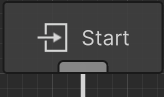
Event nodes implement the EventNode base class. After implementing this base class the branch can be started by calling the the StartBranch method on the behavior tree component. For example, here’s an EventNode that will start after the specified number of seconds have elapsed:
using Opsive.BehaviorDesigner.Runtime.Tasks.Events;
using Opsive.GraphDesigner.Runtime;
using Opsive.GraphDesigner.Runtime.Variables;
using UnityEngine;

/// <summary>
/// Starts the branch after the specified amount of time.
/// </summary>
[AllowMultipleTypes]
public class StartBranchDelay : EventNode
{
    [Tooltip("Specifies when the brnach should start.")]
    [SerializeField] protected SharedVariable<float> m_StartDelay;

    /// <summary>
    /// Initializes the node to the specified graph.
    /// </summary>
    /// <param name="graph">The graph that is initializing the task.</param>
    public override void Initialize(IGraph graph)
    {
        base.Initialize(graph);

        m_BehaviorTree.Invoke("StartBranch", m_StartDelay.Value);
    }

    /// <summary>
    /// Starts the branch.
    /// </summary>
    private void StartBranch()
    {
        m_BehaviorTree.StartBranch(this);
    }
}
Notice that Shared Variables can be used similar to regular behavior tree tasks. The [AllowMultipleTypes] attribute on the class allows multiple of the same type of task to be added to the graph.