Conditional Aborts
Conditional aborts allow your behavior tree to dynamically respond to changes without having to reevaluate the entire tree. This feature is similar to the Observer Aborts in Unreal Engine. As a basic example, consider the following tree:
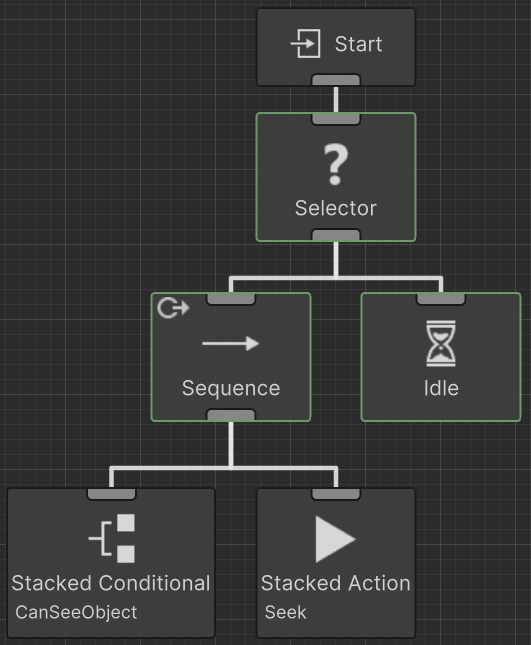
When this tree runs the Can See Object task will return failure because no object is in sight and the Selector will start running the next child, the Idle task.
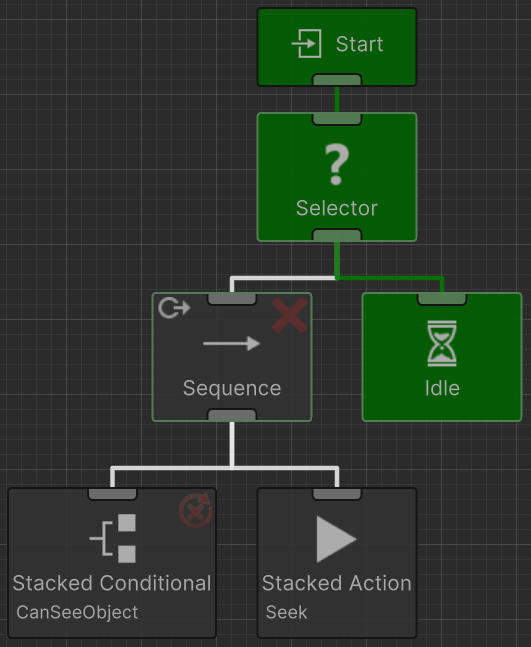
While Idle is running the object comes within sight of the agent and Can See Object changes status to success. If conditional aborts are enabled, Can See Object will issue an abort and stop the Idle task from running. Can See Object will then be reevaluated and the next task will run according to the standard behavior tree traversal, in this case the Seek task.
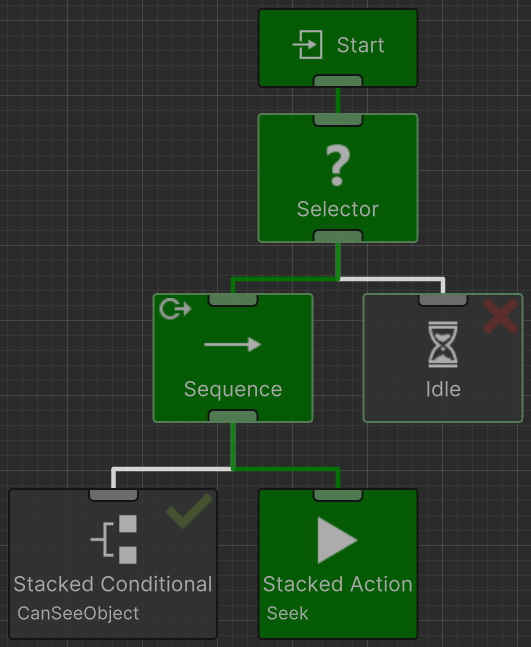
There are four different abort types: None, Self, Lower Priority, and Both.
None This is the default behavior. The Conditional task will not be reevaluated and no aborts will be issued. |
Self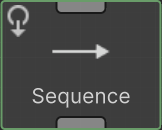 This is a self contained abort type. The Conditional task can only abort an Action task if they both have the same parent Composite task. This is a self contained abort type. The Conditional task can only abort an Action task if they both have the same parent Composite task. |
Lower Priority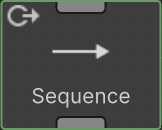 Behavior trees can be organized from more important tasks to least important. If a more important Conditional task changes status then can issue an abort that will stop the lower priority tasks from running. |
Both This abort type combines both self and lower priority. |
Conditional aborts can also be thought of the following way:
- Lower Priority: will reevaluate when any task to the right of the current branch is active.
- Self: will reevaluate when any task within the current branch is active.
- Both: will reevaluate when any task to the right or within the current branch is active.
Keep in mind the following:
- Conditional aborts only reevaluate conditional tasks. They cannot reevaluate action tasks.
- Conditional aborts trigger when the conditional task changes from failure to success or from success to failure.
One common behavior tree design pattern is to have alternating Selector and Sequence nodes. The highest priority branch should be on the far left, followed by branches with decreasing priority. The Lower Priority abort type is then used to reevaluate the conditional tasks. For example:
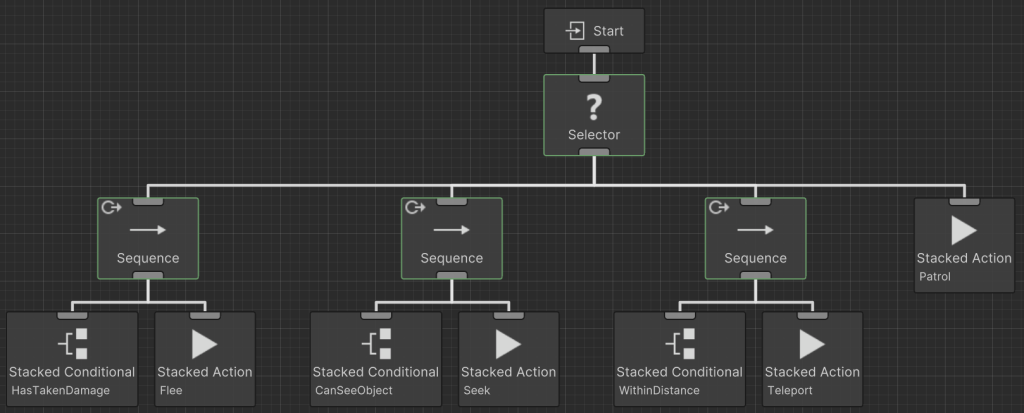
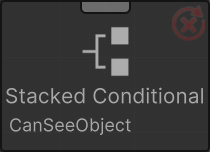
In this example the conditional task Has Taken Damage has the highest priority and will be reevaluated when any of the branches to the right of it are active. This is set with the Lower Priority conditional abort on the Sequence task. If the agent has not taken damage then the Can See Object conditional task will be reevaluated. This will be reevaluated if the Within Distance or Patrol branches are currently running. Finally, if the agent cannot see the object the Within Distance will be reevaluated. Within Distance will be reevaluated for as long as the Patrol task is active. You can tell that a conditional task is being reevaluated by the execution status icon on the top right of the task. If there is a circle around the icon then the task is being reevaluated:
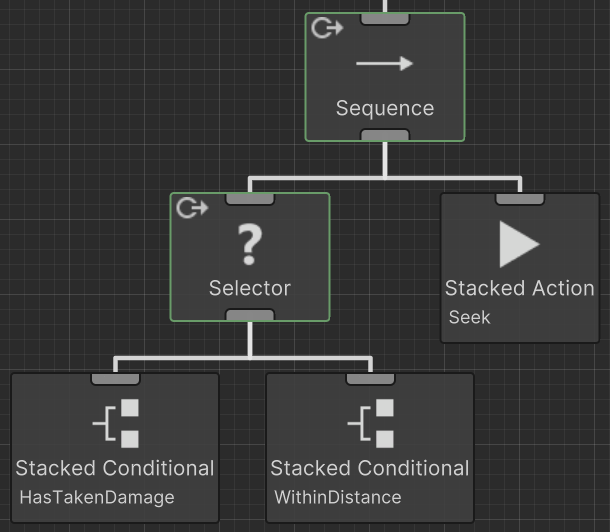
Conditional aborts can be nested beneath one another as well. For example, you may want to run a branch when one of two conditions succeed, but they both don’t have to. In this example we will be using the Has Taken Damage and Within Distance tasks. You want to run the action task when the object is either seen or within distance. To do this, these two conditional tasks should be parented by a Selector with the Lower Priority abort type. The action task is then a sibling of the Selector task. A Sequence task is then parented to these two tasks because the action task should only run when either of the conditional tasks succeed. The Sequence task is set to a Lower Priority abort type so the two conditional tasks will continue to be reevaluated even when the tree is running a completely different branch.
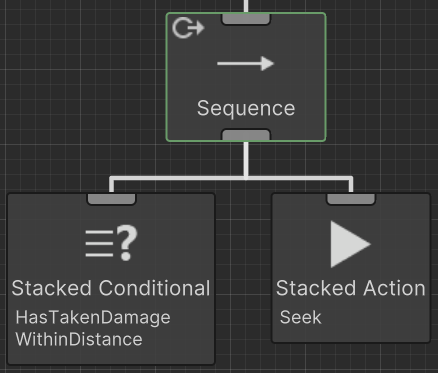
If you want the lower priority branches to abort when both Has Taken Damage and Within Distance returns a status of success you can place both conditional tasks within the Stacked Conditional task and have a Sequence comparison type:
Interrupt Callbacks
The On Interrupt Event Task can be used to run a set of logic when an interrupt occurs. Lets use the first example again except we now add the On Interrupt task:
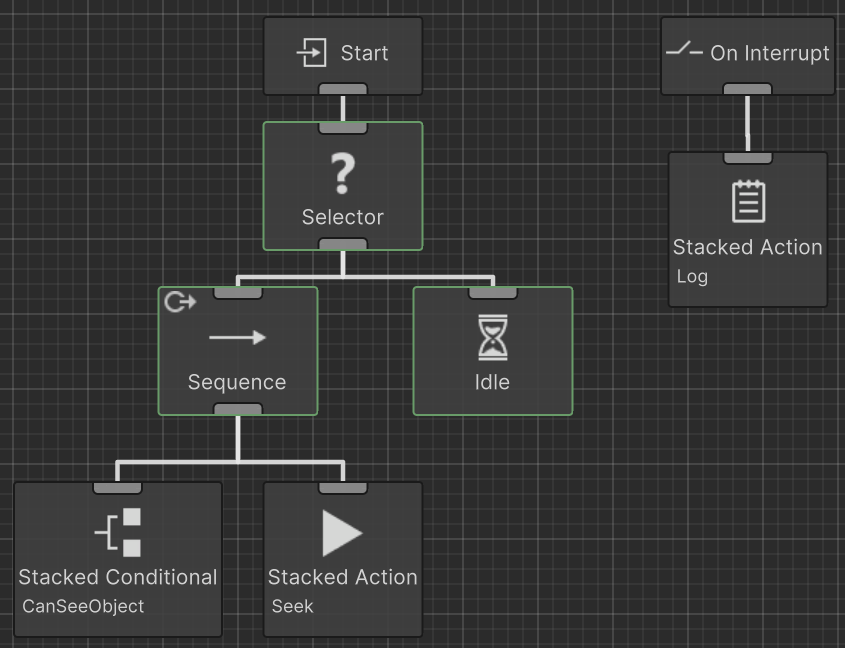
On the On Interrupt task the Idle task is specified. When the interrupt occurs the Log task will run because the Idle task was interrupted by the conditional abort system.