Subgraphs
Subgraphs store state machine data inside a Subgraph ScriptableObject, which makes behavior reusable and easier to swap. Instead of duplicating the same state/action/condition setup across multiple graphs, you can author it once as a subgraph and reuse it where needed. In State Designer, subgraphs are most commonly loaded through the Subgraph Reference state.
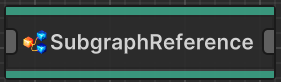
Subgraph Reference State
The Subgraph Reference state lets you assign one or more subgraphs that should be loaded when the graph initializes. By default, it uses every subgraph in the Subgraphs list.
If you want runtime selection logic, subclass SubgraphReference (or implement ISubgraphReferenceNode) and override EvaluateSubgraphs. That method runs before Subgraphs is read, so you can choose which subgraph(s) to return.
using Opsive.GraphDesigner.Runtime;
using Opsive.StateDesigner.Runtime;
using Opsive.StateDesigner.Runtime.States;
using UnityEngine;

public class RandomSubgraphReference : SubgraphReference
{
    private Subgraph[] m_Selection;

    public override Subgraph[] Subgraphs => m_Selection != null ? m_Selection : m_Subgraphs;

    /// <summary>
    /// Performs runtime selection before subgraphs are injected.
    /// </summary>
    public override void EvaluateSubgraphs(IGraphComponent graphComponent)
    {
        if (m_Subgraphs == null || m_Subgraphs.Length == 0) {
            return;
        }

        m_Selection = new[] { m_Subgraphs[Random.Range(0, m_Subgraphs.Length)] };
    }
}
In this example, EvaluateSubgraphs picks one random subgraph and stores it in m_Selection, then the Subgraphs property returns that selection.
Variable Overrides
Subgraph Reference supports SharedVariableOverride[], so a parent graph can provide values to variables defined inside the subgraph. Each override maps:
- Source: a variable defined in the subgraph.
- Override: the value/variable the parent should use instead.
This is how you keep one reusable subgraph asset but still customize behavior per usage.
If an override entry is empty, the subgraph keeps its own value for that variable.
<SCREENSHOT: Subgraph Reference inspector showing Shared Variable Overrides list>
Reevaluation
At runtime, Subgraph Reference nodes are replaced by injected subgraph nodes. If your selection logic changes later (for example, random/conditional selection), call:
m_StateMachine.ReevaluateSubgraphReferences();
This reevaluates all Subgraph References (calling EvaluateSubgraphs again), rebuilds the injected nodes, and restarts the graph with the new subgraph selection. You can also trigger this through the built-in ReevaluateSubgraphReferences action.
Pooling
If you frequently switch subgraphs at runtime, pooling can reduce overhead. The key pattern is:
- Instantiate subgraph instances ahead of time.
- Call Deserialize() on each instance.
- Set Pooled = true.
- Reuse those instances instead of creating new ones on demand.
using Opsive.StateDesigner.Runtime;
using UnityEngine;

public class SubgraphPooler : MonoBehaviour
{
    [Tooltip("A reference to the state machine that receives pooled subgraphs.")]
    public StateMachine m_StateMachine;
    [Tooltip("The subgraph asset to clone into the pool.")]
    public Subgraph m_Subgraph;
    [Tooltip("Pool size.")]
    public int m_PoolSize = 5;

    private Subgraph[] m_SubgraphPool;
    private int m_Index;

    private void Awake()
    {
        m_SubgraphPool = new Subgraph[m_PoolSize];
        for (int i = 0; i < m_PoolSize; ++i) {
            m_SubgraphPool[i] = Instantiate(m_Subgraph);
            m_SubgraphPool[i].Deserialize();
            m_SubgraphPool[i].Pooled = true;
        }
    }

    public void Assign()
    {
        m_StateMachine.Subgraph = m_SubgraphPool[m_Index];
        m_Index = (m_Index + 1) % m_SubgraphPool.Length;
    }
}
If you’re swapping subgraphs through Subgraph Reference selection logic, return pooled subgraphs from EvaluateSubgraphs and call ReevaluateSubgraphReferences() when you want the switch to happen.