Events
The event system in State Designer lets your state machine react to runtime changes without hard references between every state/action/condition. You can trigger events from graph actions, from code, or by starting event-node branches directly. Events can be sent with the Send Event action. This action uses an event name with up to 3 arguments.
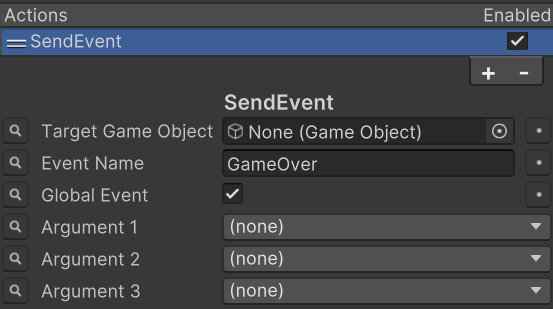
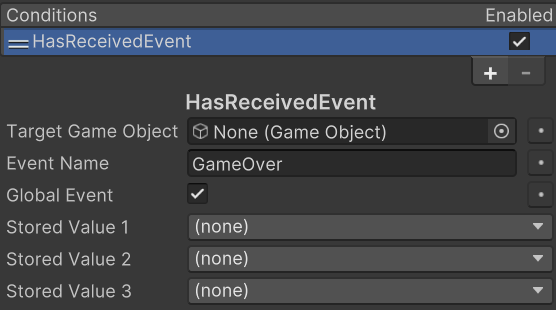
The Has Received Event condition can then be used to receive the event:
Important behavior details
- Has Received Event is effectively one-shot per receive. Once it returns valid, it clears its internal received flag.
- If the event name is empty, both send and receive nodes log an error and do nothing useful.
- If you use argument storage fields on Has Received Event, make sure sent argument count matches what you expect.
Sending Events from Code
You can also send events directly through code with EventHandler.ExecuteEvent:
using Opsive.Shared.Events;
using Opsive.StateDesigner.Runtime;

var stateMachine = GetComponent<StateMachine>();
EventHandler.ExecuteEvent<object>(stateMachine.gameObject, "MyEvent", 5);
This sends “MyEvent” to the target GameObject with one argument (5).
You can also send global events (no target object) if your receive side is configured for global events.
Receiving Events from Code
You are not limited to graph conditions. You can also subscribe to the same events in your own scripts.
using Opsive.Shared.Events;
using Opsive.StateDesigner.Runtime;
using UnityEngine;

public class EventListenerExample : MonoBehaviour
{
    private StateMachine m_StateMachine;

    private void OnEnable()
    {
        m_StateMachine = GetComponent<StateMachine>();
        EventHandler.RegisterEvent<object>(m_StateMachine.gameObject, "MyEvent", ReceivedEvent);
    }

    private void ReceivedEvent(object arg1)
    {
        Debug.Log($"Received MyEvent with arg: {arg1}");
    }

    private void OnDisable()
    {
        EventHandler.UnregisterEvent<object>(m_StateMachine.gameObject, "MyEvent", ReceivedEvent);
    }
}
This is useful when non-graph code needs to react to the same event traffic as the state machine.