Referencing Scene Objects
As you are creating your graph it is common practice to reference objects within the scene from a Shared Variable or state. For example, the Follow Target action will follow the specified Target GameObject:
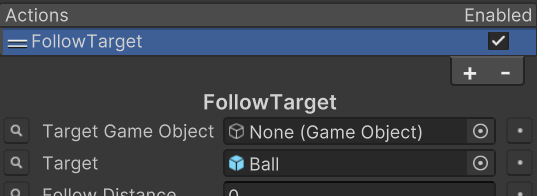
As you are testing you find that everything is working well and now you’d like to make a prefab out of it so you can have multiple agents in your scene. As soon as you make the agent a prefab and remove it from the scene you’ll find that the Enemy reference has gone missing. The reason this occurs is because as a project level asset (the prefab, subgraphs, or project variables) cannot reference objects in the scene. This is a Unity restriction and the way to overcome it is to populate the variable at runtime.
The scene reference object can be populated at runtime in many different ways:
- Add a state to your state machine which searches for the object. This can be done with something as basic as the GameObject.Find method or your own retrieval system.
- Add the State Machine component to your scene and use Variable Overrides to override the subgraph variable value.
- Assign the variable value through your own initialization script.
Each method has their own advantages and disadvantages so there’s no one right way to assign the scene value.